
If you’re a game studio or publisher, your Discord server is more than just a chatroom, it’s the pulsing heart of your player base. It’s where hype is built, feedback is gathered, and friendships are forged.
But as your community scales from hundreds to hundreds of thousands of members, that “heart” can start to feel more like a chaotic, noisy stadium. How do you find your most dedicated fans? Who is at risk of churning? Who just joined and needs help?
You’re left guessing. The answer? Stop managing a monolith and start engaging with the distinct groups within your community.
This is why we’ve built Member Segmentation.
What is Member Segmentation?
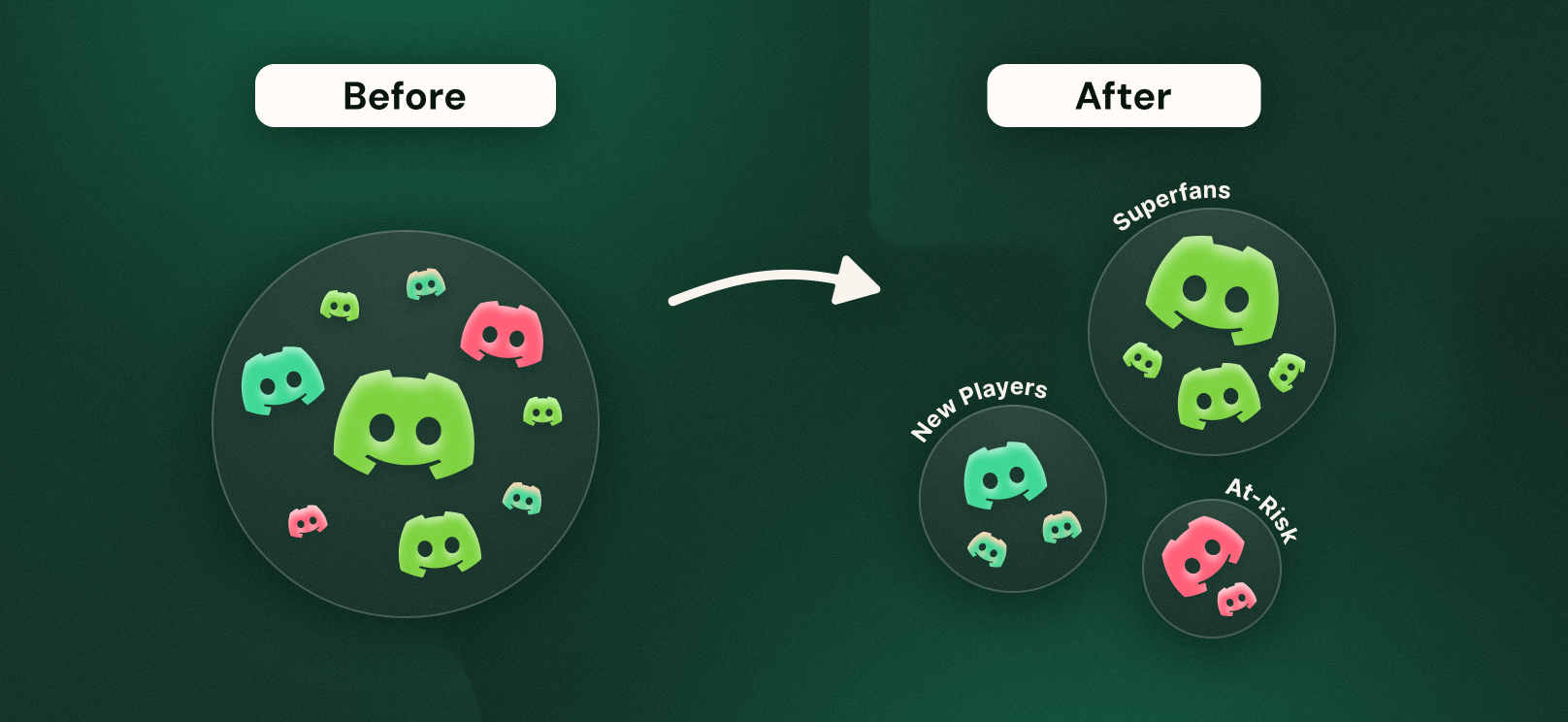
At its core, segmentation is simple: It’s the practice of dividing your large community into smaller, distinct groups (or “segments”) based on shared, specific characteristics.
Think of it this way: you wouldn’t design a game level for “all players.” You design for “new players” (tutorials), “mid-game players” (challenges), and “end-game players” (raids/veteran content).
Why should your community be any different? Instead of one giant bucket of “members,” you can now create dynamic groups like “Highly Engaged Beta Testers,” “New Members from Brazil,” or “Players at Risk of Churn” to see exactly what they’re saying and doing.
Why is Segmentation So Important?
Treating your community as a single entity is inefficient. A “spray and pray” announcement in #general will be relevant to some, annoying to most, and missed by many.
Relevance is key. Segmentation is the engine for understanding what’s relevant.
- It stops the guesswork: Move from assuming who your fans are to knowing precisely who they are, based on real data.
- It enables focused analysis: Understand the specific journey of a new player versus a veteran. Are new players struggling? Are veterans staying engaged after an update? This allows you to see what’s working (and what’s not) for each group.
- It highlights retention risks: Identify disengaging members before they leave. By creating a segment of “At-Risk” players, you can monitor this group’s activity and sentiment to understand why they’re fading away, giving your team data to inform your retention strategy.
- It surfaces deep insights: Discover who your true super-fans are, where your most active feedback providers live, and how your player base is evolving over time.
The Game-Changer for Game Studios
For studios and publishers, segmentation unlocks a new level of strategic community analysis. Here are a few ways it can help you:
- Identify & Understand Super Fans: Create a segment of members who are highly active, have a specific “Beta Tester” role, and have been in the server for over a year. These are your most valuable advocates. You can monitor this segment’s feedback on new features, analyze their discussions to see what they love, and understand what makes them stick around.
- Improve New Player Onboarding: Build a segment for everyone who “Joined community” in the “last 7 days.” You can monitor this group’s engagement. Are they talking? Are they stuck? This allows your community team to see where new members get lost or what information they need most, helping you improve your onboarding flow for everyone.
- Analyze Specific Feedback: Need to know how your new localization is landing? Create a segment for members where “Role” is “Japan” AND “Total engagement” is “> 10 messages” in the #feedback channel. Instantly, you can analyze this group’s conversations and sentiment to see how the update is being received by the target audience.
- Proactively Identify Churn Risk: Set up a segment for “At-Risk Players” by filtering for members who “Level” is “> 20” (so they were engaged) but “Seen at” was “more than 14 days ago.” This gives you a clear view of previously active fans who are fading away. You can analyze this segment to look for common patterns: Did they all stop talking after a specific game update? Are they talking about a competitor’s game? This provides crucial, data-backed insights for your retention team.
What Segmentation Looks Like in Your Dashboard
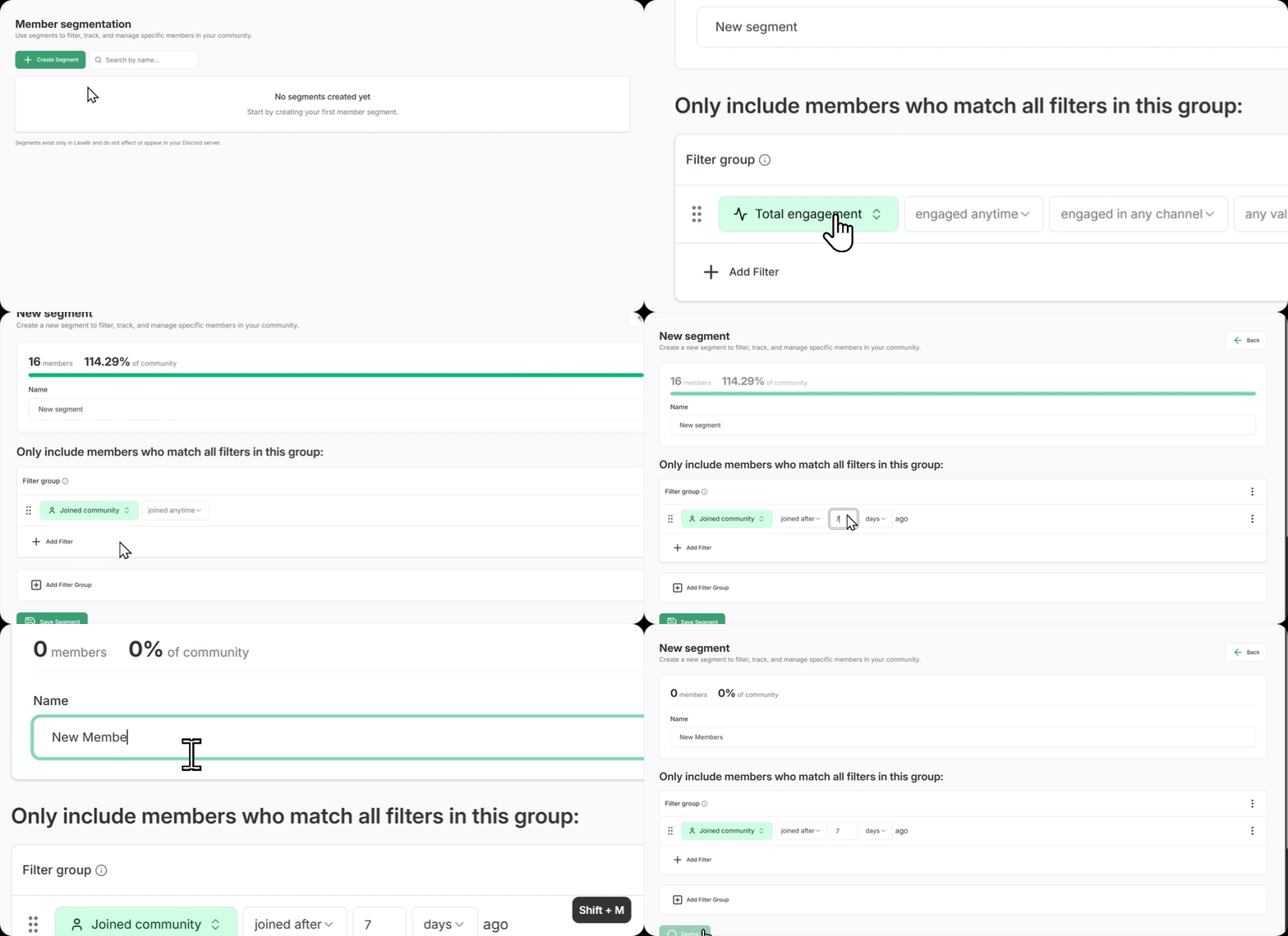 We designed our segment builder to be powerful yet simple, so you don’t need to be a data scientist to use it.
You start with a clean slate, ready to build your first group.
From there, you create a new segment and simply start adding filters. You can combine filters for profile data, engagement activity, and time.
For example, you can filter by:
- Profile Data: Joined community, Seen at, Level, XP, or Role.
- Engagement Data: Total engagement(messages, reactions, etc.).
You can get incredibly specific with time. Don’t just find if they engaged—find when. This is perfect for tracking the impact of a new patch, trailer drop, or community event.
You can even create Filter Groups to combine multiple conditions, letting you build sophisticated cohorts like “(Players who are from Role= USA, AND Level is higher than 10)”

From Noise to Actionable Insight
A massive, unorganized community is just noise. It’s full of potential, but you have no way to understand it.
Member Segmentation is the tool that turns that noise into clear, understandable groups.
It’s the critical first step to moving beyond just managing a community and toward actively understanding the specific user journeys within it. It allows you to stop guessing what your players want and start knowing.
The Future is Community-Driven
In today’s “games as a service” world, the launch is just the beginning. Your community is your game’s living, breathing extension. They are your co-developers, your biggest advocates, and your most honest critics.
Building a successful, long-lasting game franchise is no longer just about shipping code. It’s about building a universe with your players. And to do that, you first have to understand them.
Knowing your community on this deeper level isn’t just a “nice to have”, it’s a core competitive advantage. Segmentation is the key to unlocking it.